Link your tasks.
See what depends on what.
Drag an arrow from one card to another and give it a label, like "blocks".
It becomes obvious what has to ship first.
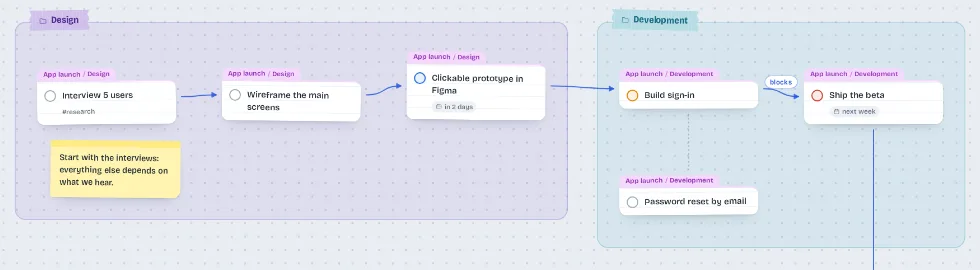
Drag, group and link one task to another.
Start right away, no sign-up.
Want a look first? Open a ready-made example.
No sign-up.
Open it and start.
No email, no password.
Nothing to install.
Runs in the browser and, if you like, becomes an app on your phone.
Works offline.
Everything is saved on your device, even without a connection.
Drag an arrow from one card to another and give it a label, like "blocks".
It becomes obvious what has to ship first.
In Projects mode each project becomes a block, with areas for its sections.
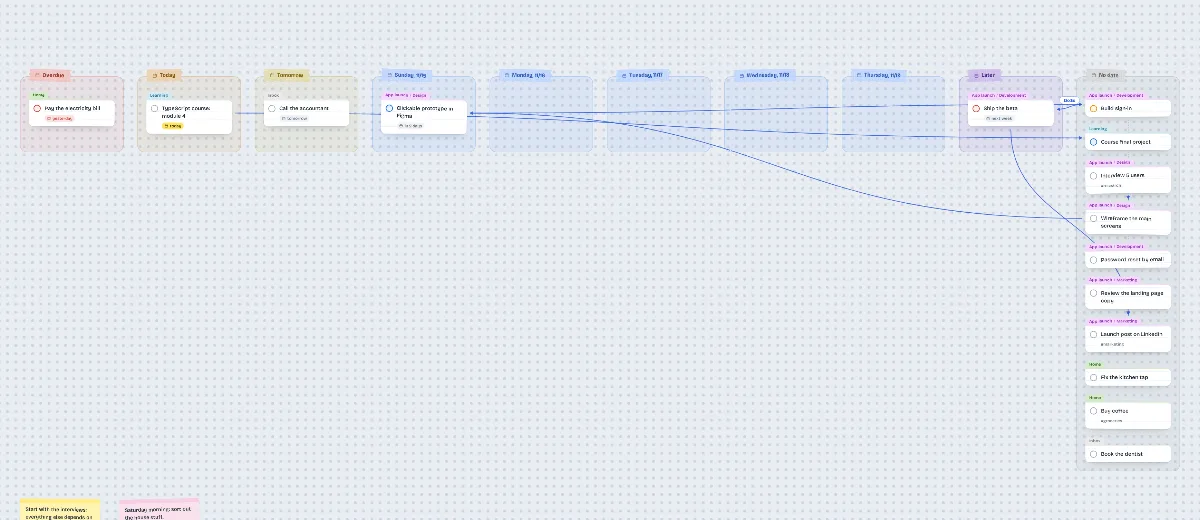
In Dates mode the columns are today, tomorrow and the days of the week.
Drop a card in another column to change the task's date.
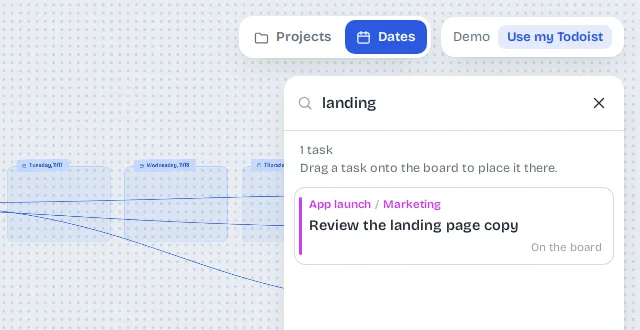
Press / or Ctrl + K and search by text, project, section or label.
Drag the result to the spot on the board where it belongs.
Write down your thinking next to the tasks: a decision, a reminder, a heading.
Notes live on the board, outside your task list.

Double-click the board and type "Call the client tomorrow at 9 for 15 min !! #Work".
The card shows up right away, with date, duration, priority and project.
Without an account, your tasks stay in your browser.
No sign-up, email or password.
Download everything as a file whenever you want.
Open it again on another device.
The VisuTodo server never receives your tasks.
At most it keeps the board layout: positions, links, areas and notes.
No ads, analytics or third-party scripts.
Every file on the site comes from VisuTodo itself.
To delete everything, use the ☰ menu in the app.
Read the full privacy policy
No. Click "Start now, no account" and your tasks are saved in your browser, no sign-up. From the menu you can download a copy as a file.
Only you. Your tasks never go through the VisuTodo server, and the site has no ads, analytics or third-party scripts.
No. From the ☰ menu, download the copy as a file and open it on the other device: your tasks come back with the board just as it was.
Yes. Creating, editing, completing, moving and deleting tasks updates the screen right away and is saved on your device.
Yes. Open the site in your browser and use "Add to Home Screen" to install it as an app. The board works with touch, with pinch to zoom.
It is free to use today. You can start without an account or open a ready-made example first.